
Services AI and training

Put AI to work. Then teach your team.

Self hosted AI on your hardware, built into the work you already do, with a person approving what matters. Then hands on training so your team uses it well.

Hands around a table with laptops, notebooks and printed reports during a working sessionYour work, your hardware
Invoice 2291 readSupplier, amount and due date pulled out
Routed to accountsClassified as a bill to pay
Waiting for a personNothing is paid without approval
Part 1Building AI in

AI does the busywork. People make the calls.

We start with one piece of work your team repeats every day, like reading invoices or sorting requests, and build AI into that. A person still approves anything that matters.

How one item moves throughRuns on your hardwareEvery step logged
Comes inEmailsScanned documentsWeb formsShared folders
OrchestratorLeads

Runs the steps in order and keeps a record of each one. It hands each step to the part built for it.

01Reads

Intake

Pulls the fields out of documents, emails and forms. Nothing gets typed twice.

Example output
SupplierExample Supply Co.
Amount$1,840.00
DueIn 30 days
02Decides

Classify and route

Works out what each item is and who it belongs to, then sends it to the right system, record or person.

Example output
TypeBill to pay
Goes toAccounts
RuleOver $1,000 needs a yes
03Does

Act

Files it, updates the record, and flags only what needs a human.

Example output
RecordBill drafted
FlagWaiting for a person
Log3 steps recorded
Goes out
Records updatedFiled in the system it belongs toA person decidesAnything unclear or over a limit waitsAn audit trailWhat it did, when and why
Try it. Example emailsPick an email. The AI reads it, then you decide.
Inbox
What the AI read

Pick an email on the left.

What happens next
TypeWaiting
RouteWaiting

Audit trail
    On your hardware

    Self hosted. No subscription traps.

    Your data, your choice

    Self hosted, or outside models with guardrails.

    A person approves

    It flags what needs a human and waits.

    Every step logged

    You can see what it did and why.

    Built with
    n8n workflow automationDocument pipelinesYour existing systems
    Your AI tools

    Tie your tools together. One setup, your rules.

    Your team may already use Claude, ChatGPT, Copilot or Gemini. We connect them, and your own self hosted models, to one setup. Every tool sees the same context and follows the same rules.

    How the tools connectRuns on your hardwareOutside service, through your guardrails
    The tools you use
    C
    ClaudeOutside model
    C
    ChatGPTOutside model
    C
    CopilotIn Microsoft 365
    G
    GeminiOutside model
    O
    OllamaRuns on your hardware
    xsvStudio.
    One setup on your network
    RoutePicks the right tool for each jobMemoryKeeps the shared contextGuardChecks every request against your rules
    What your team gets
    Shared contextEvery tool works from the same files and history.
    Task routingEach job goes to the tool that suits it.
    Document actionsRead, file and update records.
    GuardrailsYour rules for what may be sent where.
    Audit trailEvery step logged, on your network.
    One setup across every toolShared memory and task routingGuardrails and an audit trail on your network
    Where to start

    Three ways we put AI to work.

    Most teams start with one and add the others later. They are built to work together.

    Your server
    ModelsOllama
    Workflowsn8n
    DocumentsPaperless-ngx
    01

    A self hosted stack

    Your hardware. Your data.

    We set up the whole stack on your infrastructure: a server in your office, a machine in your data center, or a box we ship and set up for you. Everything talks to each other and stays on your network.

    • Ollama runs the models, n8n runs the workflows, Paperless-ngx keeps the documents
    • We look after hosting, updates and uptime
    • One flat fee, no per user subscriptions
    • Your team owns the models and the data
    Submittal packageScanned, read, indexed
    SummaryOpen itemsDraft reply
    02

    Document processing

    Your documents, read and filed.

    Documents land in one place, get scanned, read and indexed, then a workflow sends them to your model. Summaries, open items and draft replies are ready when your team starts the day.

    • Submittal logs and tracking
    • RFI drafts and follow ups
    • Invoices routed to the right cost code
    • Contract clauses pulled out and flagged
    AI tools check
    What you pay for
    What you use
    Example
    03

    Training and adoption

    Know what you are buying. Know how to use it.

    A lot of what is sold as AI is the same few models with a new price. We check what you pay for against what you need, then train your team on the tools that fit, inside their actual work.

    • A check of the AI tools you pay for
    • Hands on workshops by role
    • Prompts written for your industry
    • Support as the tools change
    See the training plan
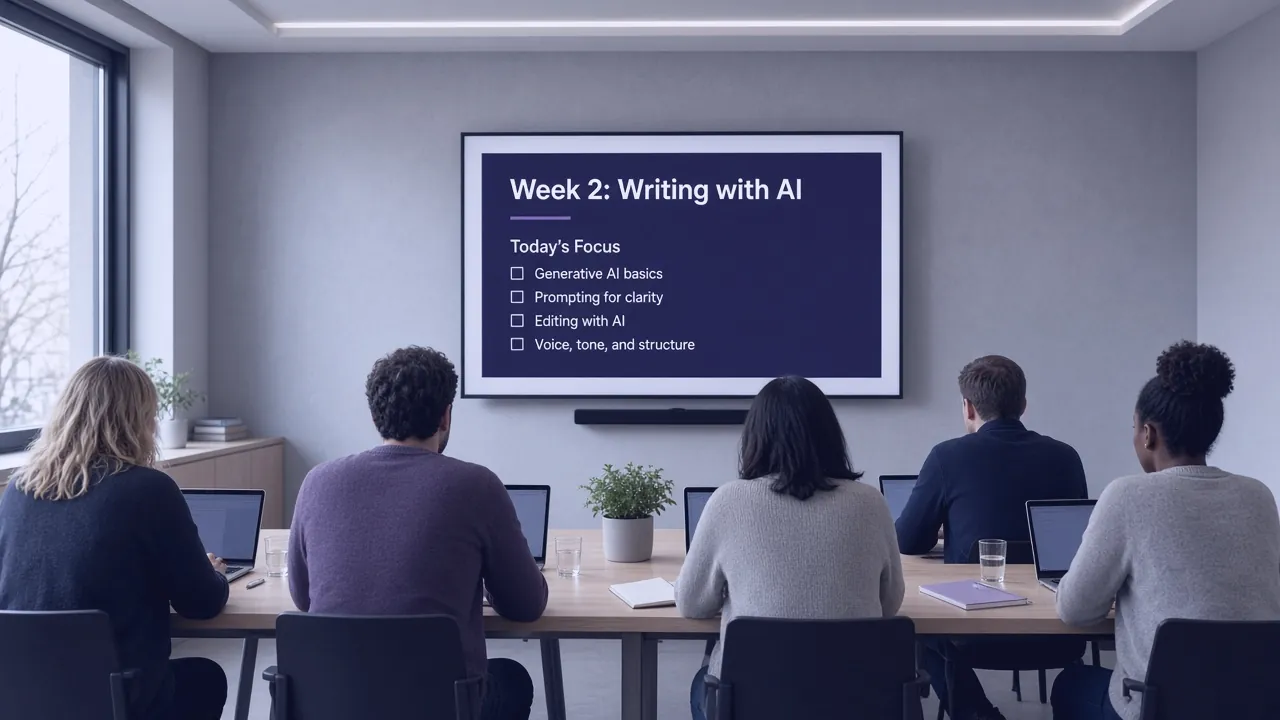
    A training room seen from the back of the room, with a slide titled Week 2: Writing with AI

    Tools only help if people use them. So we teach them.

    Part 2 is training, built around the tools you own and the work your team does every day.

    Part 2: Training
    Part 2Training your team

    Training with your own work. Not generic slides.

    Your team practices on real documents and real tasks, on the tools you own. Each week builds on the last, and we check where people are before moving on.

    Team confidence, by weekWeek 1
    Week 1This weekExample values
    Hands writing notes next to a laptop and a glass of water
    Week 1

    The basics, on your documents

    What the tools can and cannot do, tried on your own files.

    Hands with a tablet and a coffee on a wooden table
    Week 2

    Writing and checking

    Drafting emails and reports, and how to check the output before it goes anywhere.

    A long empty conference room with rows of tables
    Week 3

    Your workflows

    Using the systems from Part 1 day to day, and what to do when something is flagged.

    Week 4

    On their own, with a check in

    People use it on their own work. We review together and fix the gaps.

    How it works

    Two tracks. One team running both.

    You can do both parts, or just one. Most teams start with one workflow and train alongside it.

    Part 1. Building it in
    01

    Pick one workflow

    We find the repeat work that costs the most time and agree what the AI may and may not do.

    02

    Build it on your hardware

    We set up the stack on your machines and connect it to your inbox, files and systems.

    03

    Run it with a person approving

    It works alongside your team. Anything unclear is flagged for a person.

    You getA working system and an audit trail
    Part 2. Training
    01

    See where people are

    A short check of what each person knows and what they need.

    02

    Weekly sessions on real work

    Hands on, on the tools you own, with practice between sessions.

    03

    Check in and follow up

    We review how it is going and help with the hard cases.

    You getA team that uses it with confidence
    Before you automate

    AI is only as good as the data it can reach.

    A lot of companies have years of documents in folders nobody has touched, and processes that live in one person's head. Before you automate, you organize. We get your systems ready so the AI works when it goes live.

    Example. Made up folders.
    Today
    Scans 2019 FINAL (2)No clear owner
    Invoices oldMixed years
    Job files miscThree naming styles
    Copy of price listWhich one is current?
    How we quoteOnly in one person's head
    Ready for AI
    Jobs
    Job 14
    InvoicesNamed by date and supplierDrawingsCurrent version onlyPhotosTagged by job
    Price listsOne current list, old ones archivedHow we quoteWritten down step by step
    01

    Document structure audit

    We map what you have, where it lives and what state it is in.

    02

    Migration plan

    A step by step plan to move old data into systems your AI can use.

    03

    Ongoing data hygiene

    Processes and automation that keep your data clean as the business grows.

    Example scenario. Not a real client.

    An office buried in invoice emails.

    How a small office might use both parts. Names and details are made up.

    1Before

    One person read every supplier email, typed invoices into accounting and chased approvals by hand.

    2What we did

    Part 1: an intake workflow that reads invoices and routes them for approval. Part 2: four weeks of training for the office team.

    After

    Invoices arrive filled in and waiting for a yes or no. The team knows how to check the work and when to step in.

    FAQ

    Questions, answered.

    The short version: AI on your hardware, a person approving, and a team trained to use it.

    Still wondering?A real person reads every message.
    Email us

    Not unless you choose it. By default we run the AI on your own hardware, so documents and emails stay on your network. If your team wants outside models like Claude or ChatGPT, we connect them through guardrails you set, and every request is logged.

    Yes. We connect the tools your team already uses to one setup, with shared context, rules for what each tool may see, and a log of what was sent.

    No subscription traps. The stack runs on hardware you own. We will tell you up front if your setup needs anything new.

    Only the ones you allow. We agree the rules with you, and anything outside them is flagged for a person.

    Often not yet, and that is normal. We start with a document structure audit, then plan the move into systems your AI can use.

    Yes. We can train your team on the tools you already have.

    Weekly hands on sessions in small groups, using your own documents and tasks, with a follow up after the last session.